
Services
Marketplace services install as managed VMs with first-boot cloud-init. Browse packs under Catalogue; live ones appear under Deployments (not mixed into the plain Instances list).
Catalogue
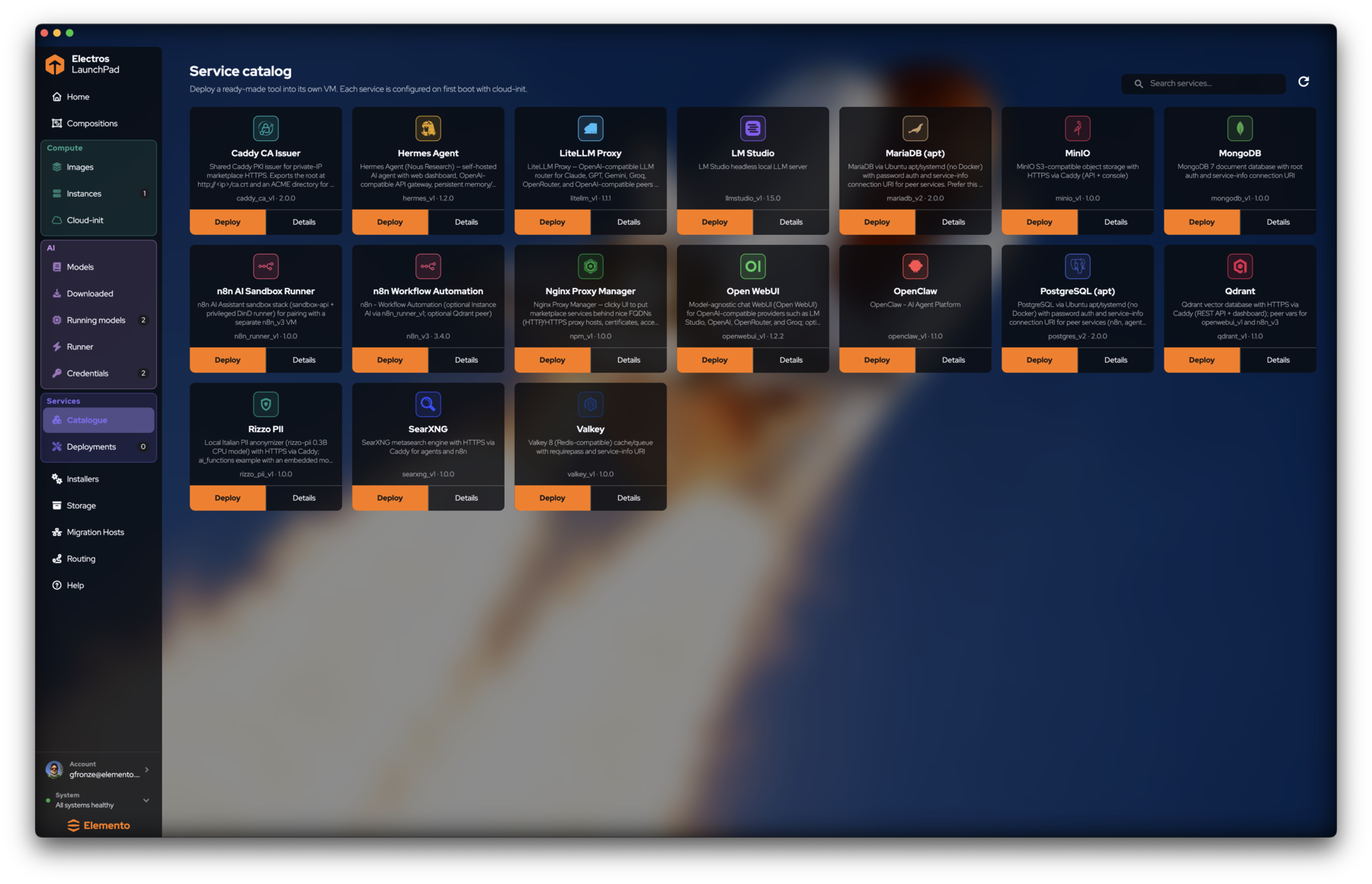
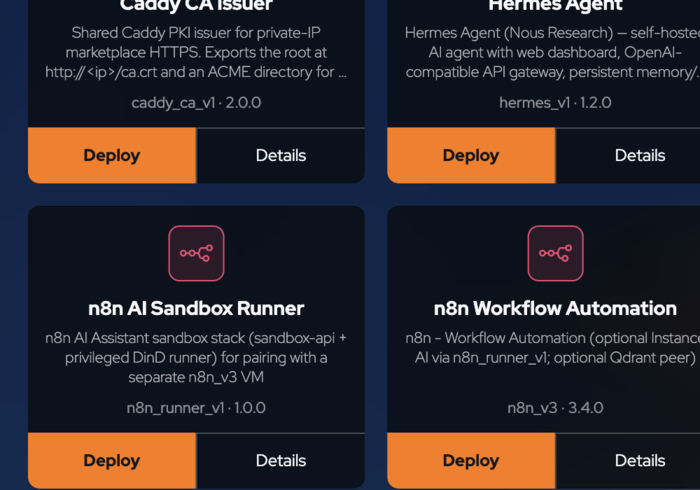
Open Services → Catalogue. Each card has:
- Name and short description
- Version identifier (
service_name_v1 - 1.0.0) - Deploy (orange) — creates the managed instance
- Details — requirements and notes before you commit
Packs you will see often
| Service | Role |
|---|---|
| Open WebUI | Chat UI for OpenAI-compatible providers (point at LaunchPad gateway) |
| LiteLLM Proxy | Router across Claude / GPT / Gemini / local |
| PostgreSQL / MariaDB / MongoDB / Valkey | Data stores (apt/systemd variants avoid Docker where noted) |
| MinIO / Qdrant | Object and vector storage with HTTPS |
| n8n / n8n AI Sandbox Runner | Workflow automation |
| Nginx Proxy Manager / Caddy CA Issuer | Ingress and private PKI for marketplace HTTPS |
| SearXNG, Hermes Agent, OpenClaw, Rizzo PII, LM Studio | Search, agents, and specialised tools |
You can also drop many of these onto a composition canvas instead of deploying one-off from the catalogue.
Deployments
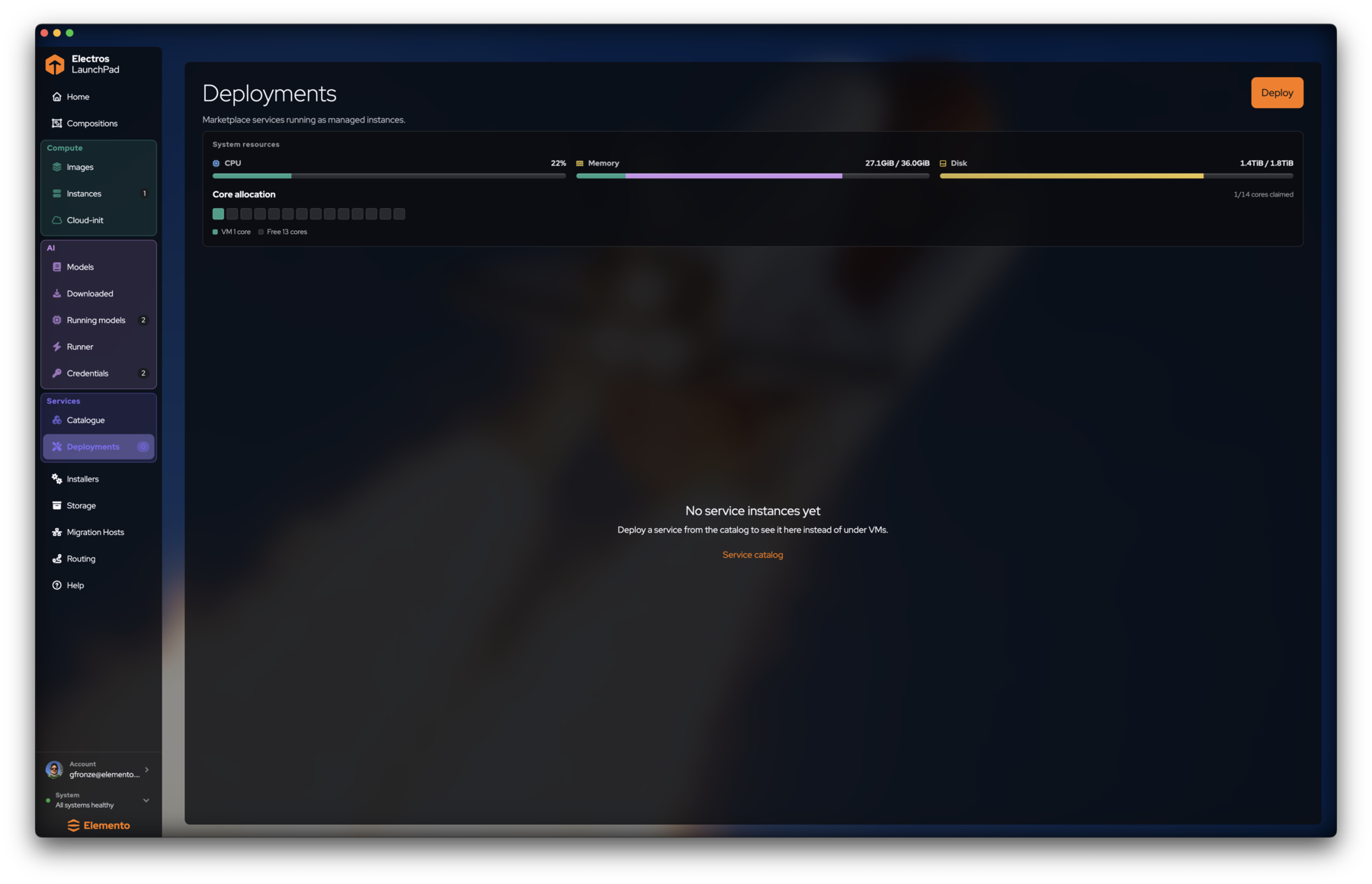
Services → Deployments lists marketplace services as managed instances.
- Empty state: No service instances yet with a link back to the catalogue.
- Top Deploy jumps to catalogue deploy.
- Host gauges mirror Instances so you can see capacity before another pack.
TIP
A deployed service is still a VM under the hood, but LaunchPad keeps it under Deployments so lifecycle and credentials stay tied to the pack definition.
Suggested path: chat UI on local models
- Load a model (AI models).
- Create an
sk-elp-key (Credentials). - Catalogue → Open WebUI → Deploy.
- In Open WebUI, set the OpenAI base URL to the From a VM gateway URL and paste the key.
- Confirm the conversation appears in the model’s Try this model / logs if you need to debug.
Next
- Compositions — multi-service graphs
- System tools — disk usage after several deploys